The One Fish System Requirements
Check the Steam baseline before you host a six-player feeding lobby.
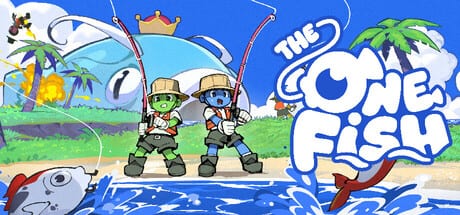
Before you promise friends a launch-night lobby, confirm The One Fish system requirements against your PC. Official Steam minimums are modest but real—and online co-op means your broadband matters as much as your GPU.
Official minimum requirements (Steam)
| Component | Minimum |
|---|---|
| OS | Windows 10 (64-bit) |
| CPU | Intel Core i5 |
| RAM | 8 GB |
| GPU | GTX 1060 |
| DirectX | Version 11 |
| Network | Broadband Internet connection |
| Storage | 1 GB available space |
| Sound | Sound card required |
Steam’s recommended block was still sparse in pre-launch materials beyond the 64-bit OS note—treat the minimum row as your planning floor and leave headroom for co-op VFX spikes.
What the table means in practice
- GTX 1060 class GPUs can play modern indie co-op titles, but busy ability fish effects may need lower shadows/particles.
- 8 GB RAM is tight if browsers + Discord + Steam overlay are all open; close heavy tabs before six-player nights.
- 1 GB storage is light; still keep an extra few GB free for Steam depot repairs and shader caches.
- Broadband is mandatory for online co-op. Wired Ethernet beats shaky Wi-Fi when bomb-fish timing matters.
Pre-flight checklist
- Update GPU drivers and Windows.
- Verify the game files after download on August 12, 2026 unlock.
- Set power mode to high performance on laptops.
- Test voice + game audio balance using Controls comfort tips.
- Run a short Chill Mode session before a ranked-feeling feed drill.
Hosting friends on potato PCs
If one friend is under minimum, be honest. Offer them spectator-friendly roles from the Co-op Guide or schedule chill sessions first. Do not mock frame dips during appetite spikes—that creates quiet quitters.
Networking etiquette
Steam lists online interactivity and in-game chat. Packet loss looks like “broken fishing.” Before blaming design, run a speed test and pause cloud backups. Pair launch logistics with Launch Day Guide and Launch Checklist.
After patches
New fish, levels, and modifiers may raise the practical GPU cost even if the Steam table stays frozen. Watch Updates for performance notes.
Meeting system requirements will not make you good at feeding The One Fish—but failing them will make every guide on this wiki feel wrong.
Host responsibility when someone is underpowered
If a friend’s GPU is below the GTX 1060 class baseline, offer lower party sizes, chill-first nights, or spectator-friendly roles instead of mockery. Share this requirements page early—before they buy cosmetics for a machine that cannot host smoothly. On your side, close RGB software, scrapers, and dozens of Chromium tabs before six-player sessions. Record a one-minute performance sample if you plan to send a bug report to Steam discussions; developers cannot fix “it lagged” without context. Good hardware hygiene is part of good co-op etiquette.
Extra depth for The One Fish System Requirements
Return to this page after your next session and add private notes beneath your group’s checklist link. The public wiki stays general on purpose so it does not invent patch-sensitive numbers, but your lobby can store exact timings, preferred warm-up maps, and veto exceptions. Combine that private layer with the public links already woven through this article—guides for systems, fish pages for identification, tier pages for priority, tools for execution, and updates for change control. Doing so keeps The One Fish knowledge useful even while Early Access is still reshaping the waters.
Thermal and power details that fake “input lag”
Thin laptops near the Intel Core i5 + GTX 1060 class often thermal-throttle after twenty minutes, which feels exactly like sluggish casting. Lift the chassis, plug in power, and set a sane frame cap before you rewrite your Controls binds in panic. Desktop owners should check that the monitor cable is seated in the GPU, not the motherboard output, so the machine is not secretly rendering on integrated graphics. These boring checks prevent false bug reports on launch week and keep co-op nights focused on fish instead of hardware detective work.
Frequently Asked Questions
Quick answers for The One Fish players.
Can The One Fish run on Windows 11?
Steam lists Windows 10 as the minimum. Windows 11 machines that meet CPU/GPU/RAM targets are typically fine; verify after unlock.
Is an internet connection required?
Broadband is listed in the minimum requirements and the game features online co-op.
How big is the download?
Steam lists about 1 GB free space required; actual depot size may vary slightly at launch.